Introducing PortPro Profit Driver. If you run 5–20 trucks, this was built for you.
Calculate My Savings
Introducing PortPro Profit Driver. If you run 5–20 trucks, this was built for you.
Calculate My Savings
Accounts Payable
Driver pay, made easy
Set up rates, review driver pay, and run reports — all from the same system.
Accounts Payable
Driver pay, made easy
Set up rates, review driver pay, and run reports — all from the same system.
Accounts Payable
Driver pay, made easy
Set up rates, review driver pay, and run reports — all from the same system.
Accounts Payable
Driver pay, made easy
Set up rates, review driver pay, and run reports — all from the same system.
Review and approve driver pay, all from one view
Review and approve driver pay, all from one view
Review and approve driver pay, all from one view
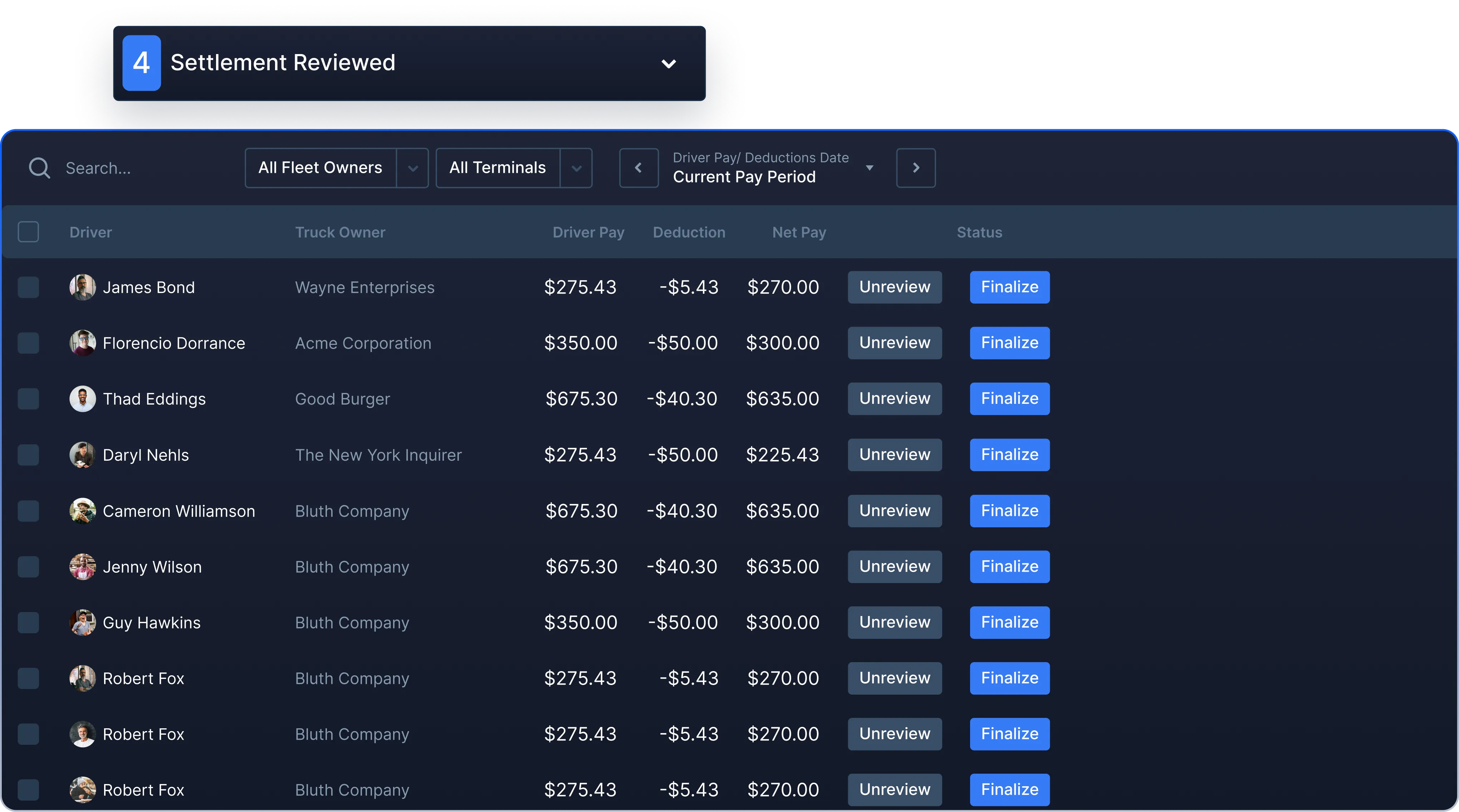
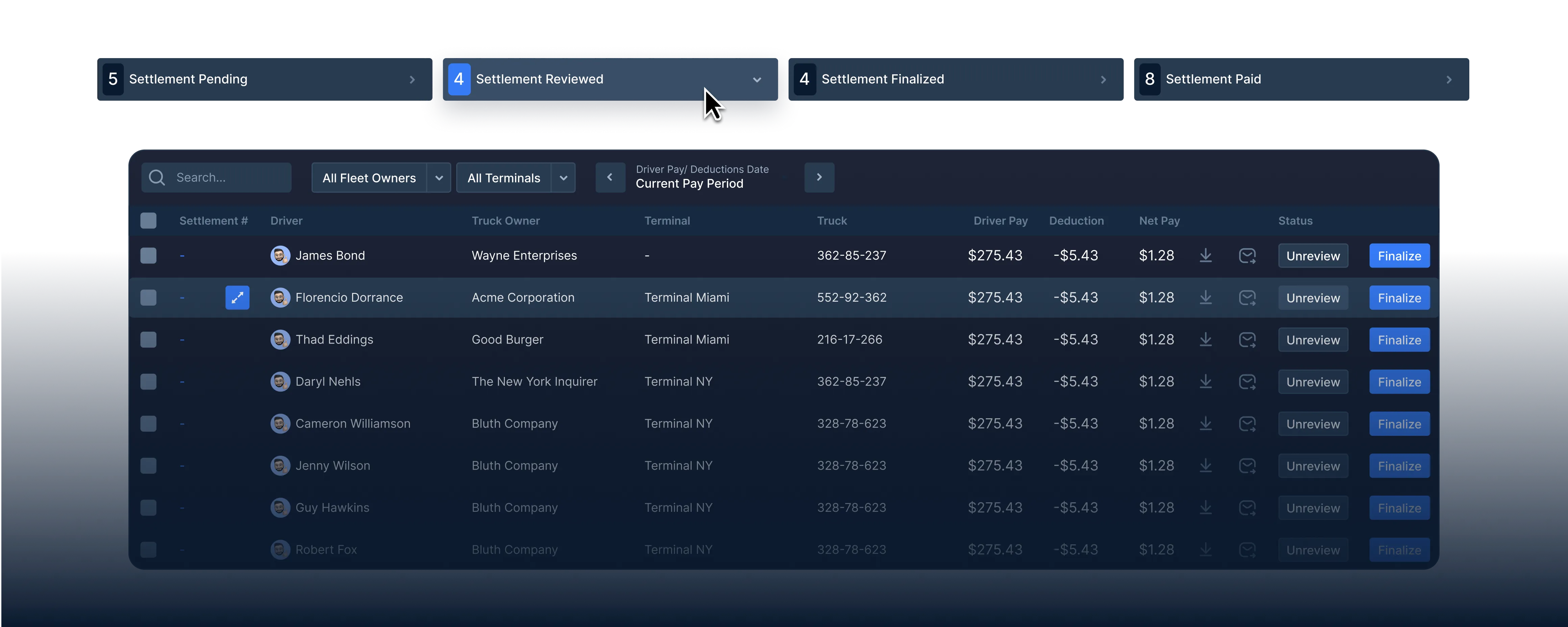
Once you have marked your driver settlements as "reviewed" they will go into the Reviewed status of our freight accounts payable system.
Once you have marked your driver settlements as "reviewed" they will go into the Reviewed status of our freight accounts payable system.
Settlement reviewed status
Settlement reviewed status
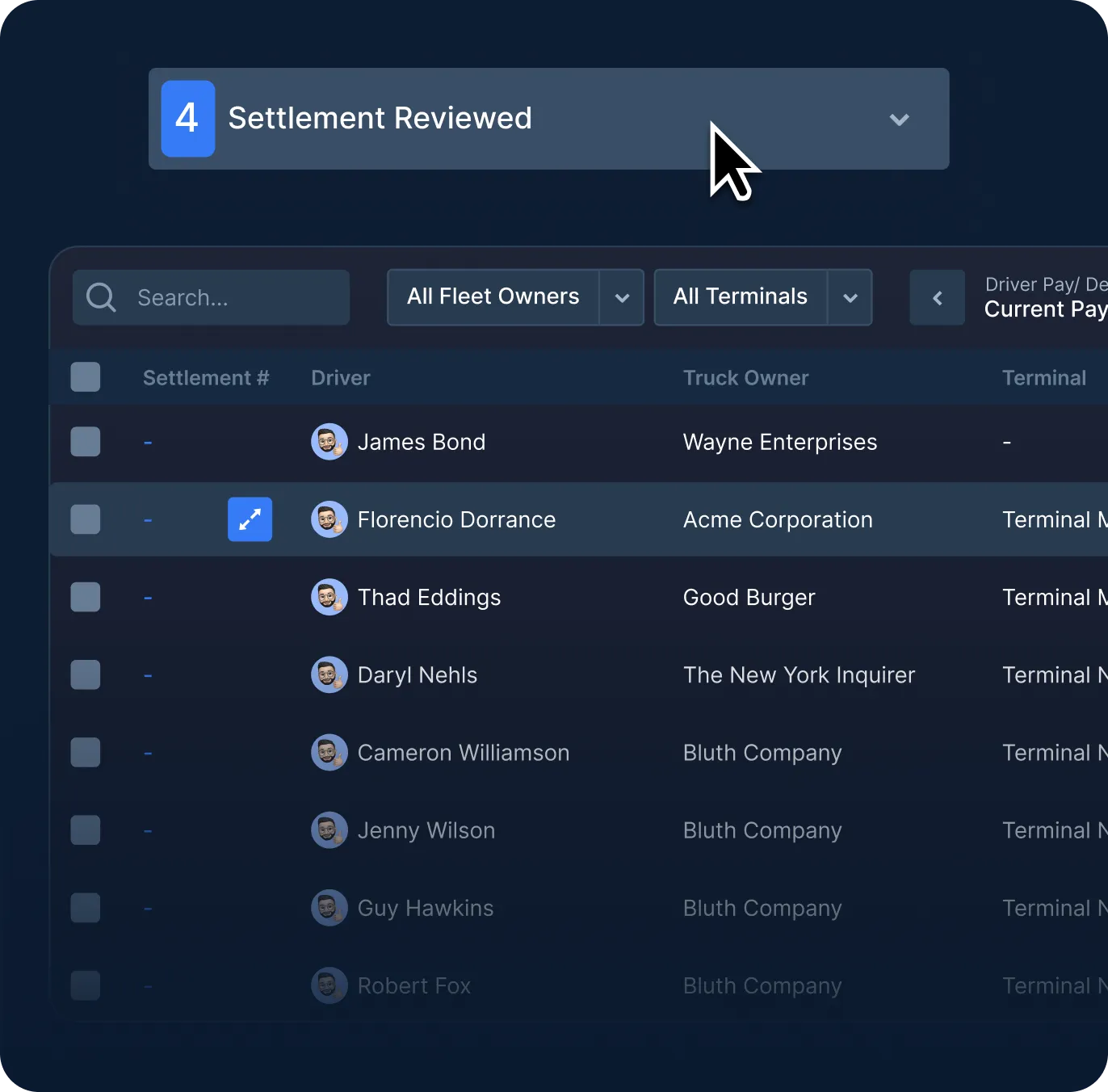
Once the settlements have been marked as reviewed, you now have a settlement # in the settlement # column.
Once the settlements have been marked as reviewed, you now have a settlement # in the settlement # column.
Review or unreview
Review or unreview
When a settlement is marked as "reviewed" in our drayage accounts payable software, you have the ability to un-review it to make any necessary changes before finalizing.
When a settlement is marked as "reviewed" in our drayage accounts payable software, you have the ability to un-review it to make any necessary changes before finalizing.
Download review drafts
Download review drafts
You can download or email a settlement statement before finalizing, make changes if needed, and apply those changes to this current settlement.
You can download or email a settlement statement before finalizing, make changes if needed, and apply those changes to this current settlement.
Automate driver pay
Automate driver pay
Automate driver pay
Set driver pay rates, setup recurring accessorial charges, and manage deductions to make Accounts Payable a breeze.
Set driver pay rates, setup recurring accessorial charges, and manage deductions to make Accounts Payable a breeze.
Your driver pay, your way
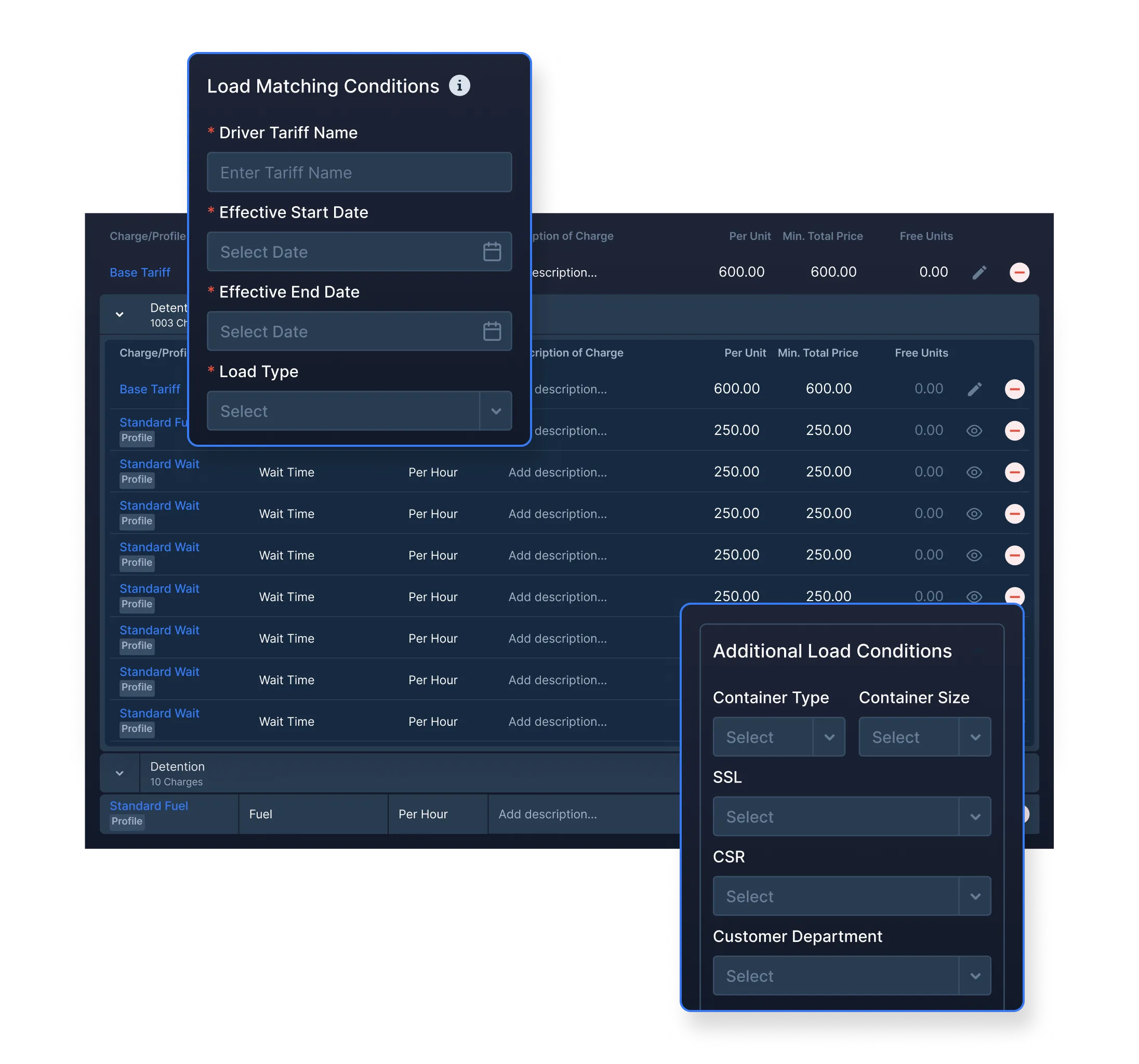
Do you pay per move? Per mile? Per hour? Percentage? Whatever it is, you can build out your rules in PortPro — and PortPro will automatically calculate driver pay.
Automate accessorials
Set up dynamic pay expenses like chassis split, waiting time, prepull, overweight, detention and more. Whatever accessorials you pay out for, you can set that up in PortPro.
Deductions made easy
Set up deductions by driver, bulk upload deductions, and view all deductions at a glance.
Pending settlements
Pending settlements
Pending settlements
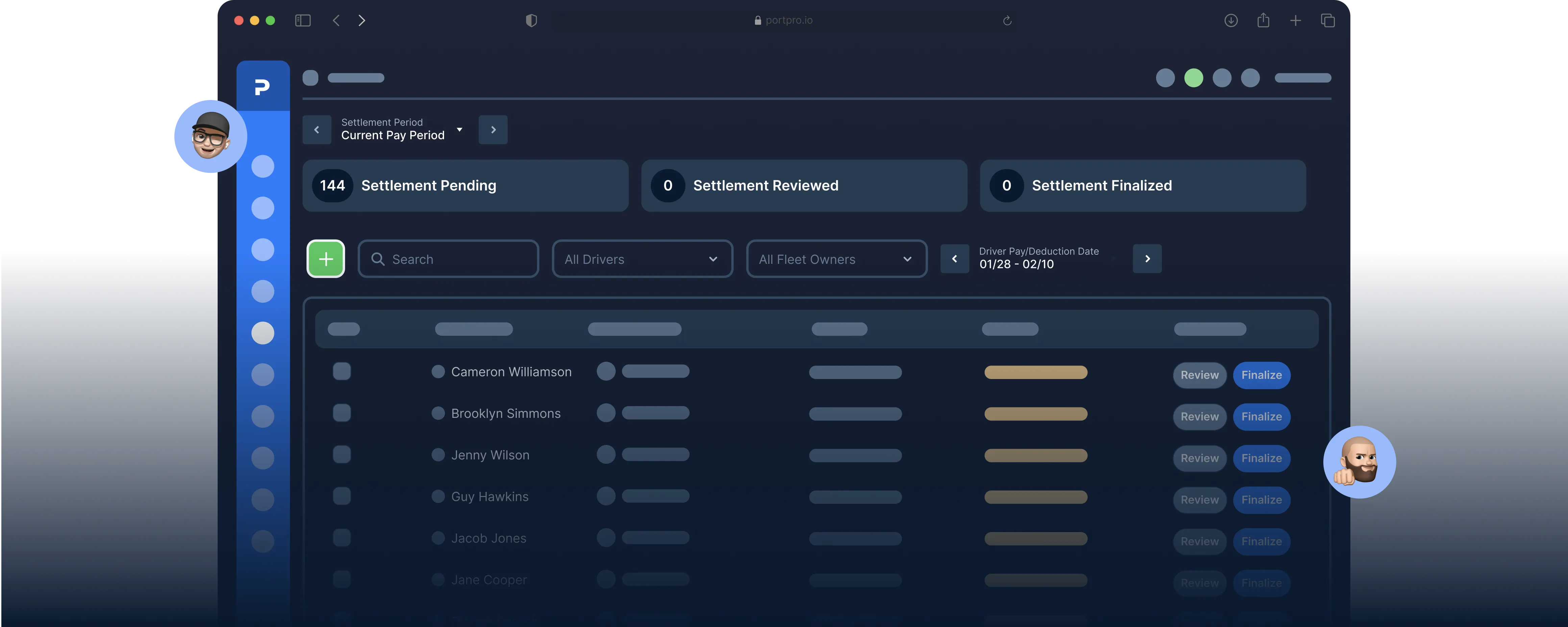
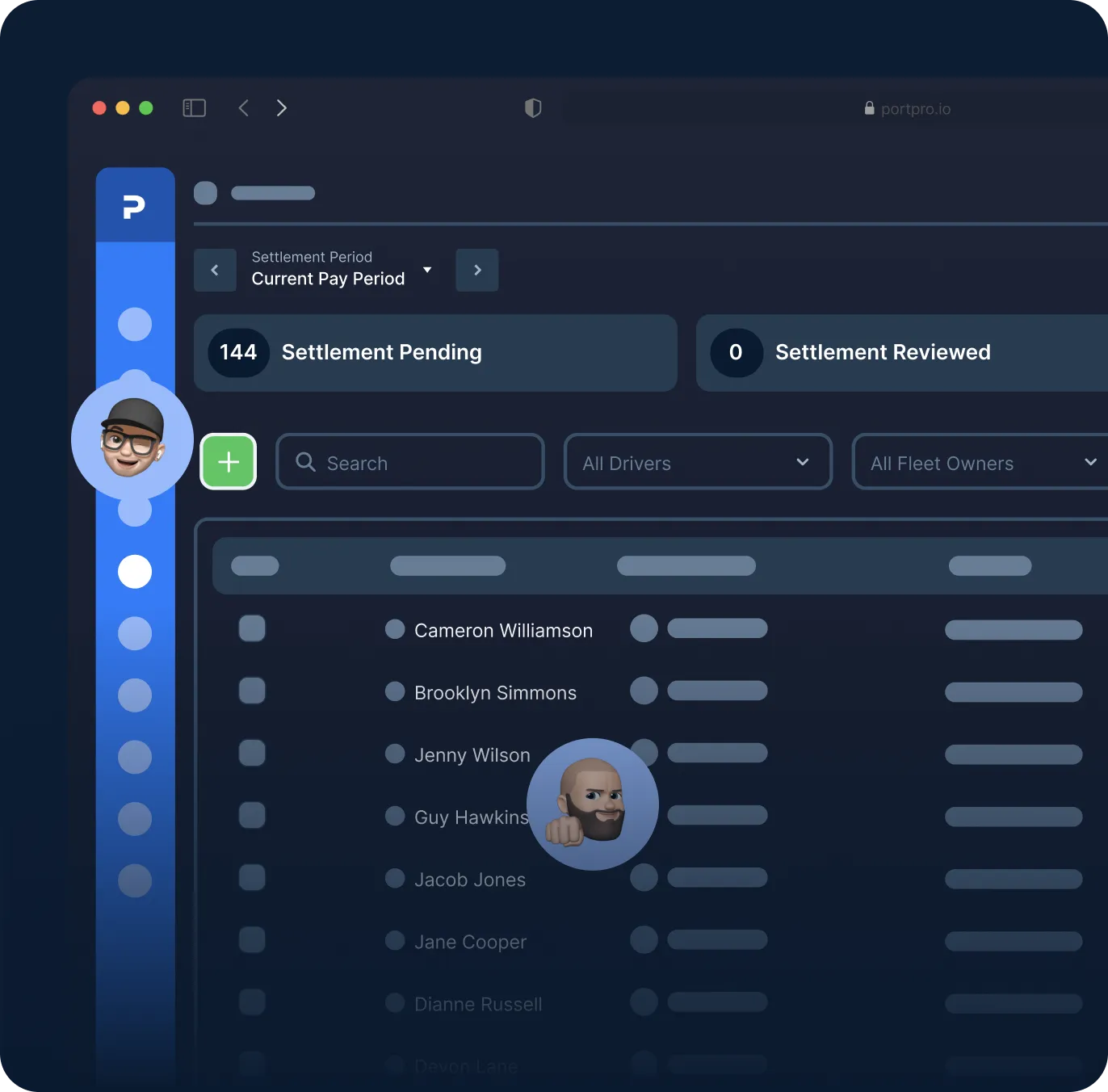
View the driver pay for any non-completed loads within PortPro’s freight accounts payable system, so you can properly forecast what's upcoming.
View the driver pay for any non-completed loads within PortPro’s freight accounts payable system, so you can properly forecast what's upcoming.
View all pending settlements
View all pending settlements
View by driver or pay period to see all pending settlements.
View by driver or pay period to see all pending settlements.
Finalize settlements
Finalize settlements
Once your settlements are reviewed and approved, you can mass email the finalized settlement details to your drivers — or let them view directly from the driver app.
Once your settlements are reviewed and approved, you can mass email the finalized settlement details to your drivers — or let them view directly from the driver app.
Drivers can see all their pay at a glance
Drivers can see all their pay at a glance
Drivers can see all their pay at a glance
Upcoming pay, previous pay — all in one view. No more fielding pay-related questions from drivers.]
Upcoming pay, previous pay — all in one view. No more fielding pay-related questions from drivers.]
Filter Driver Pay
Filter Driver Pay
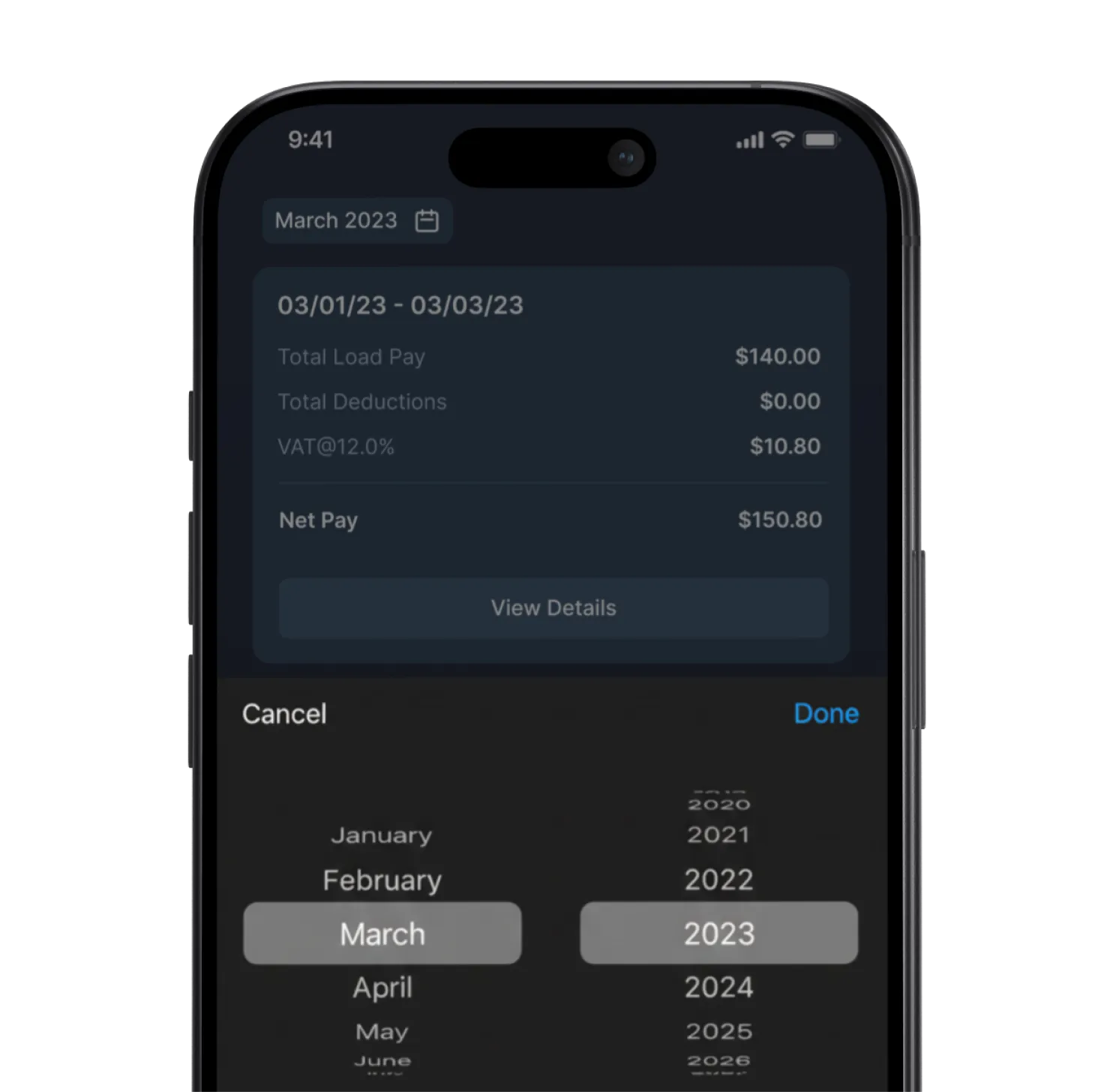
Drivers can filter by pay period to view their historical earnings since they began using the driver mobile app.
Drivers can filter by pay period to view their historical earnings since they began using the driver mobile app.
Payment Details
Payment Details
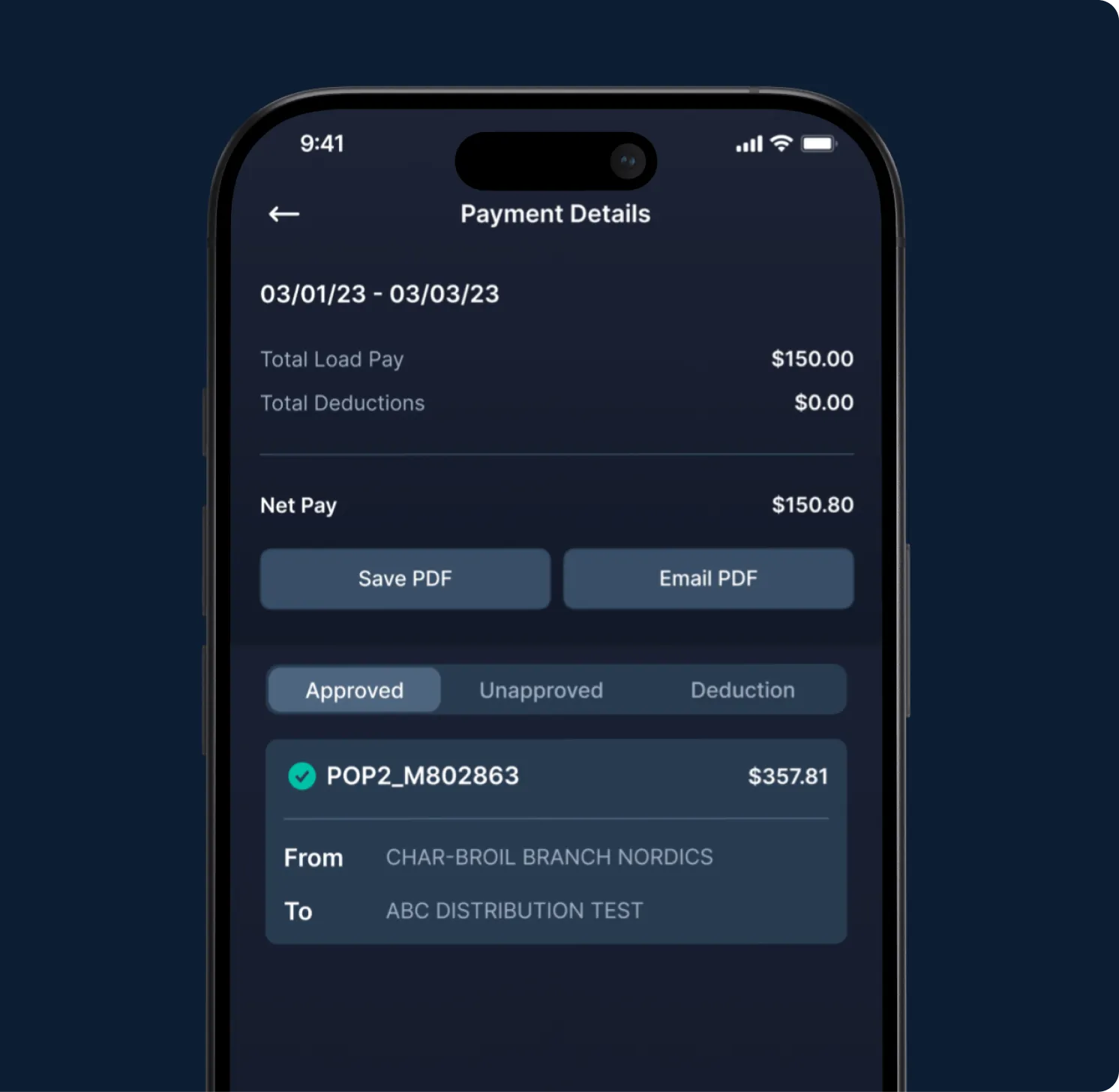
By tapping the "Details" button in the driver mobile app, your driver can access a comprehensive breakdown of their payments and deductions for each move within the specified payment period.
By tapping the "Details" button in the driver mobile app, your driver can access a comprehensive breakdown of their payments and deductions for each move within the specified payment period.
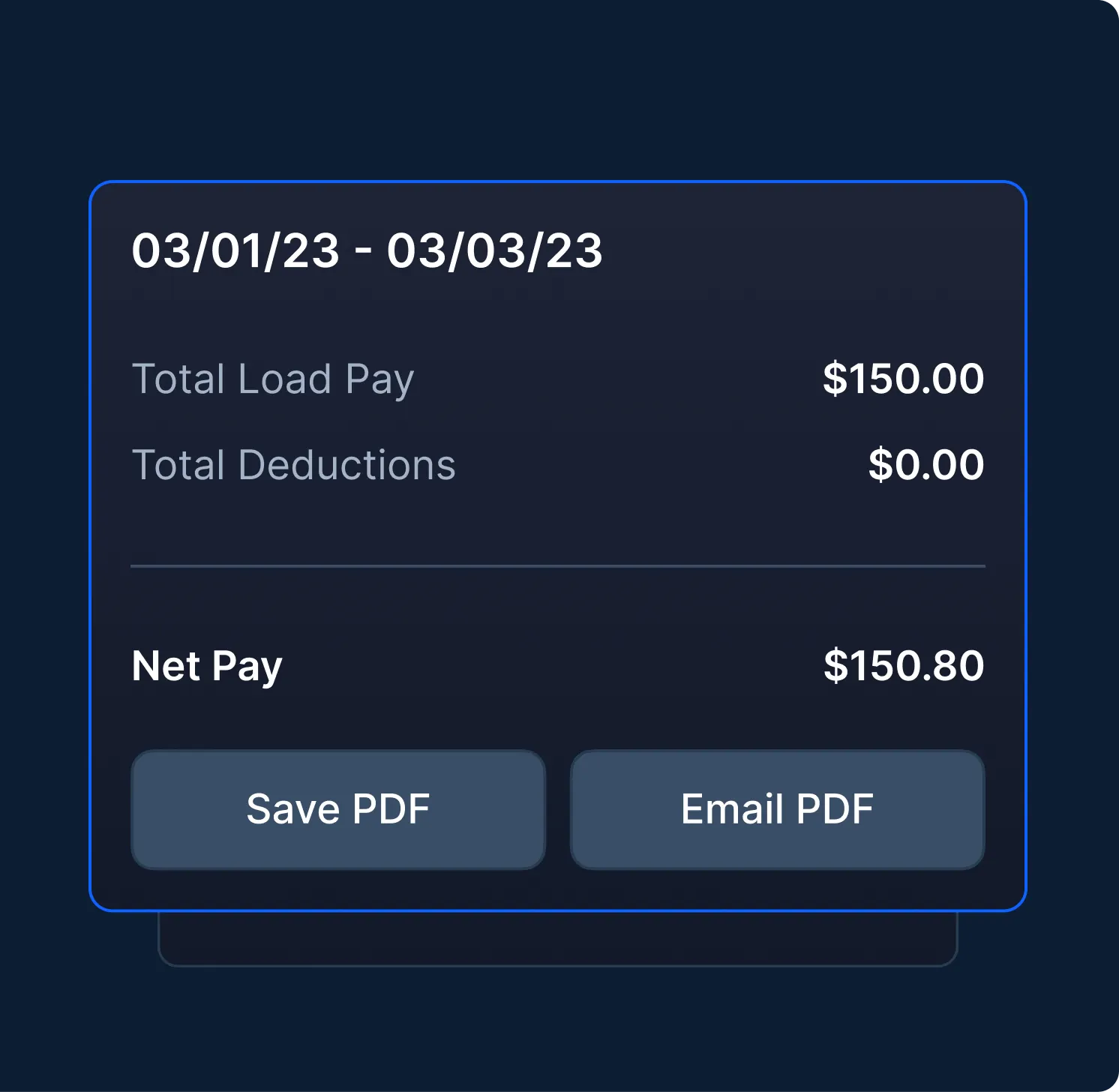
Download & Email Settlement
Download & Email Settlement
Drivers can find a summary of their pay during a specific time period, and can either save as a pdf to their phone or email it out.
Drivers can find a summary of their pay during a specific time period, and can either save as a pdf to their phone or email it out.

See PortPro in action
Schedule time with a product expert to see how PortPro could work for your operations.
Schedule a Demo
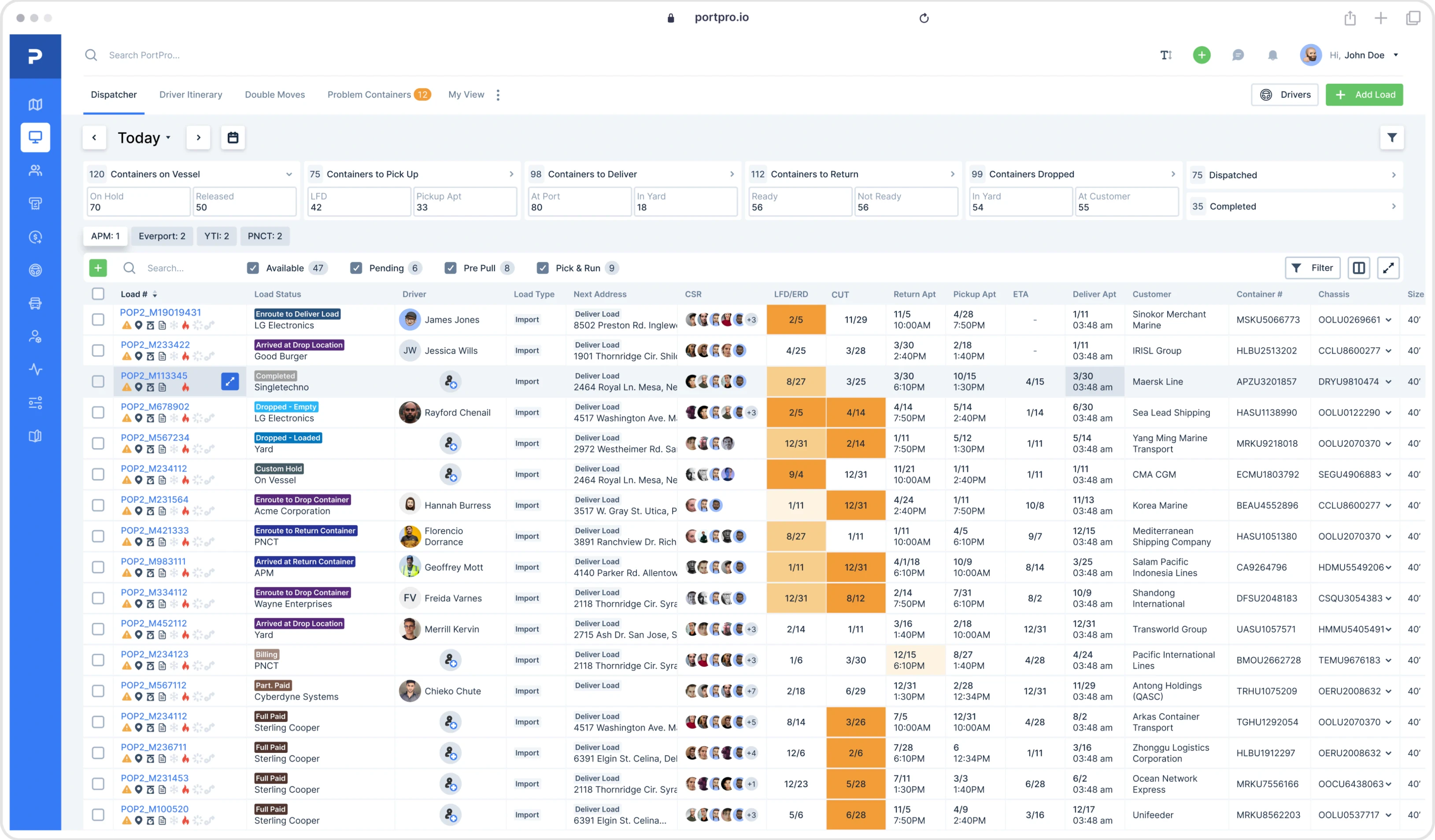
See PortPro in action
Schedule time with a product expert to see how PortPro could work for your operations.
Schedule a Demo
See PortPro in action
Schedule time with a product expert to see how PortPro could work for your operations.
Schedule a Demo