Introducing PortPro Profit Driver. If you run 5–20 trucks, this was built for you.
Calculate My Savings
Introducing PortPro Profit Driver. If you run 5–20 trucks, this was built for you.
Calculate My Savings
Driver Mobile App
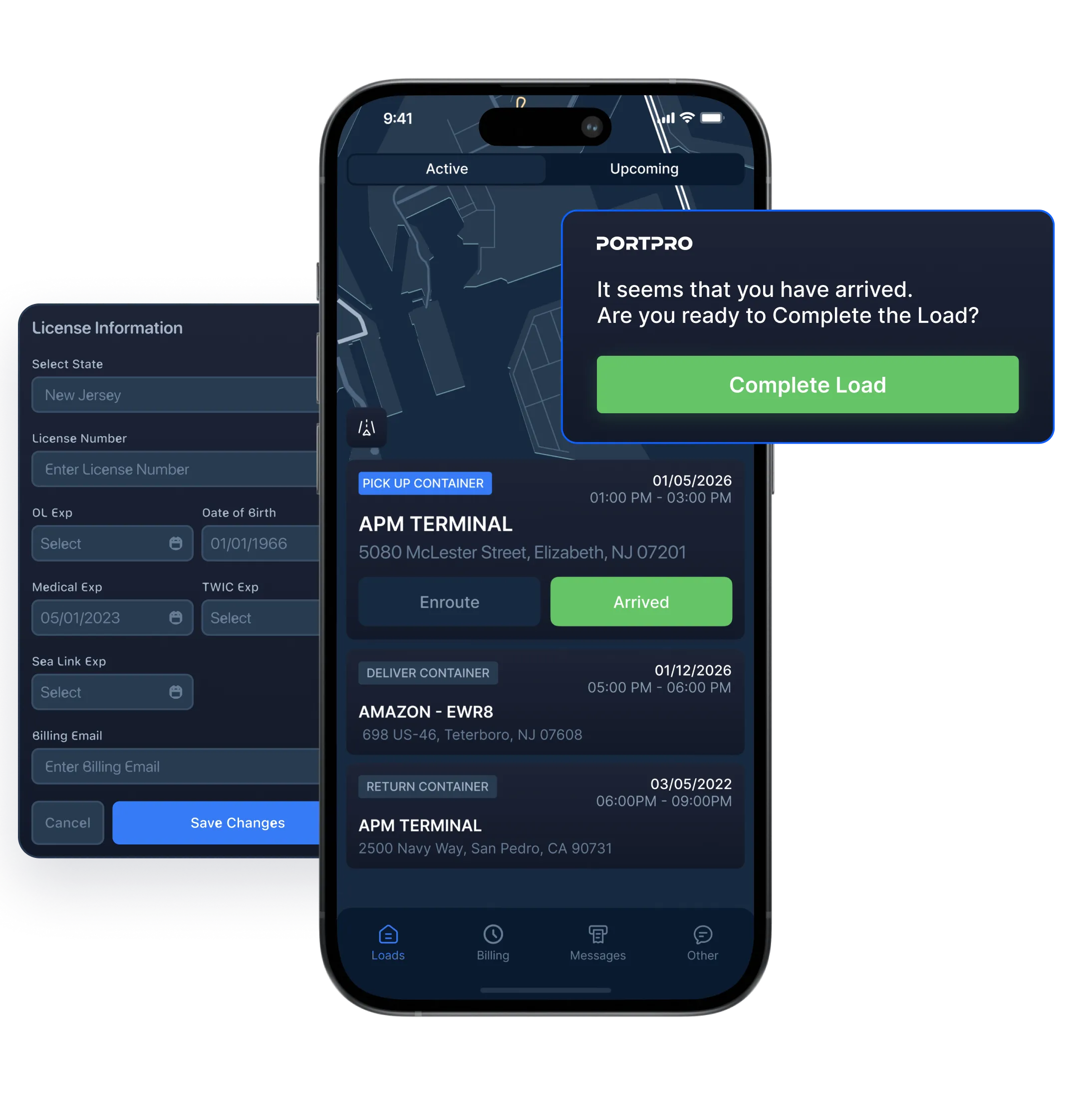
Finally, a mobile app your drivers will actually use
Dispatch loads, send messages, and receive documents — all in one place.
Driver Mobile App
Finally, a mobile app your drivers will actually use
Dispatch loads, send messages, and receive documents — all in one place.
Driver Mobile App
Finally, a mobile app your drivers will actually use
Dispatch loads, send messages, and receive documents — all in one place.
Driver Mobile App
Finally, a mobile app your drivers will actually use
Dispatch loads, send messages, and receive documents — all in one place.
All upcoming loads, in one view
All upcoming loads, in one view
All upcoming loads, in one view
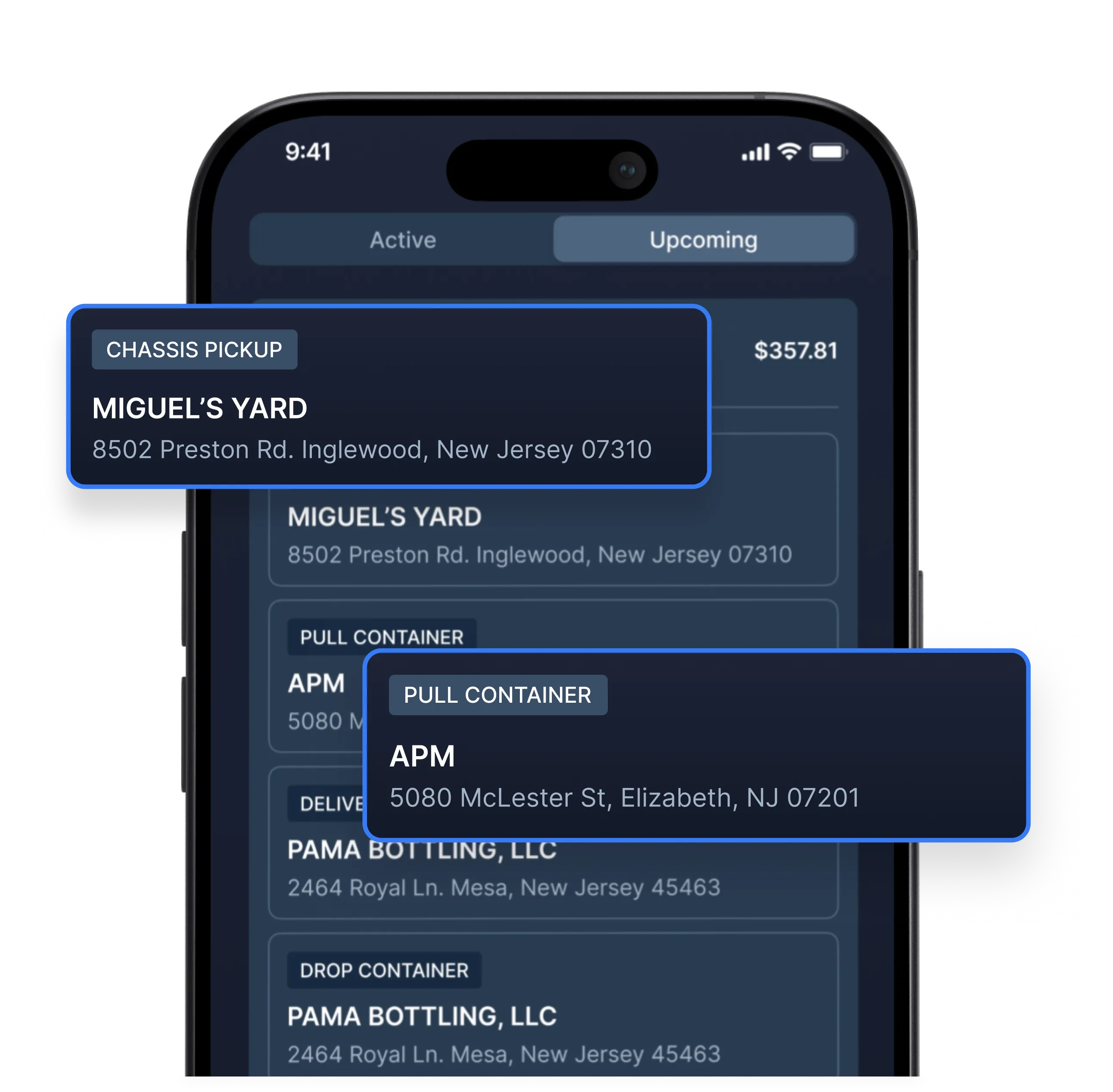
Drivers will be able to see all active and upcoming loads, right from their app. They can also view additional details like route, mileage, event description, payment details, and more.
Drivers will be able to see all active and upcoming loads, right from their app. They can also view additional details like route, mileage, event description, payment details, and more.
The easy button for driver navigation
The easy button for driver navigation
The easy button for driver navigation
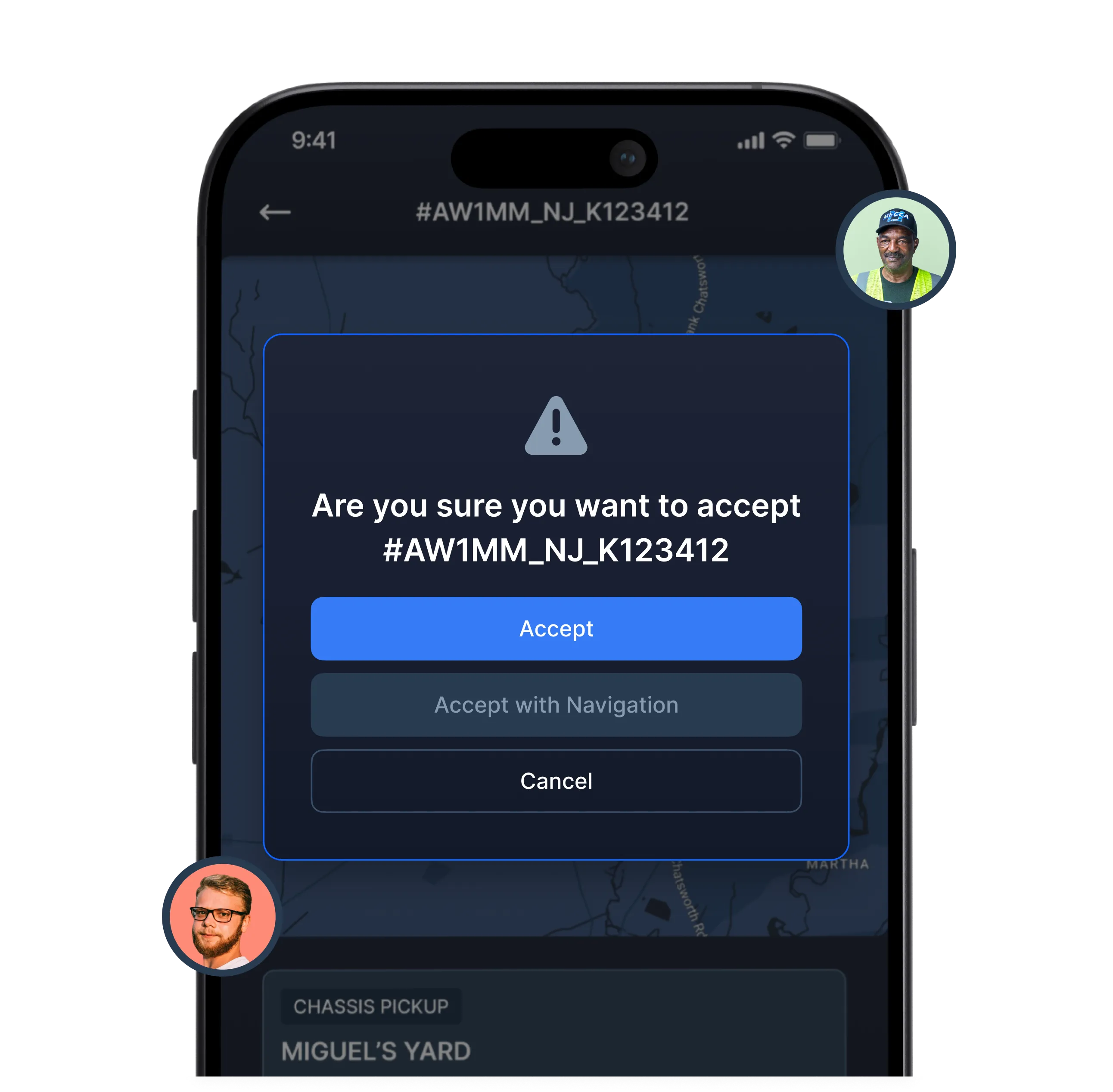
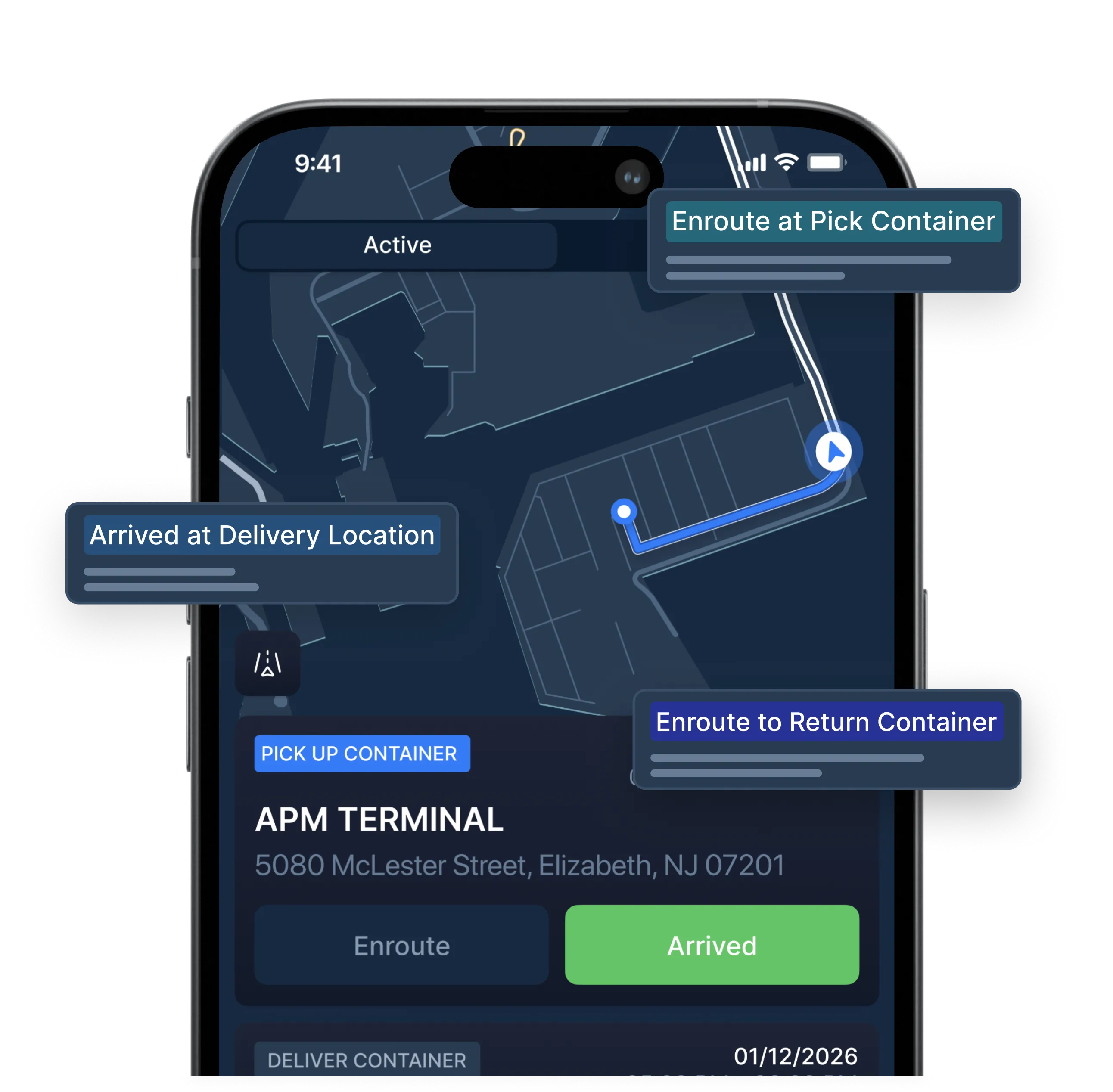
Your can start the load with or without Truck Turn-by-Turn GPS Navigation, and dispatchers will receive live updates on driver status. No more back-and-forth text messages.
Your can start the load with or without Truck Turn-by-Turn GPS Navigation, and dispatchers will receive live updates on driver status. No more back-and-forth text messages.
You receive live status updates
You receive live status updates
You receive live status updates
As your driver completes milestones, you’ll receive live updates in the system. PortPro also has geofence functionality, automatically updating driver status when they break the geofence.
As your driver completes milestones, you’ll receive live updates in the system. PortPro also has geofence functionality, automatically updating driver status when they break the geofence.
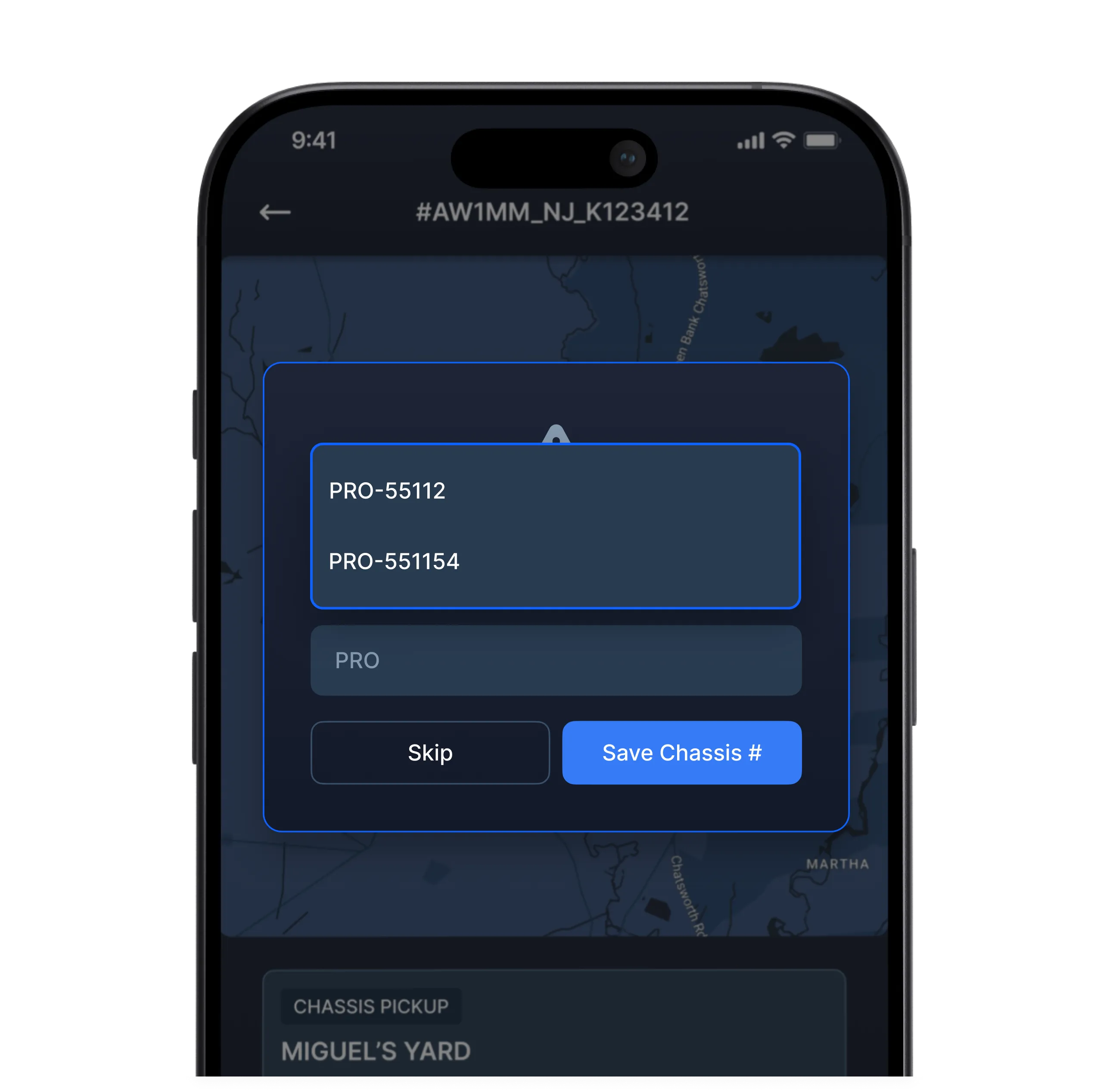
No more scrambling to figure out chassis number
No more scrambling to figure out chassis number
No more scrambling to figure out chassis number
Drivers are prompted to enter chassis numbers in app — and will not be able to complete the load until this number has been entered.
Drivers are prompted to enter chassis numbers in app — and will not be able to complete the load until this number has been entered.
No more chasing drivers for documents
No more chasing drivers for documents
No more chasing drivers for documents
The mobile app will prompt drivers to upload documents — and won’t let them complete loads until the documents are uploaded.
The mobile app will prompt drivers to upload documents — and won’t let them complete loads until the documents are uploaded.
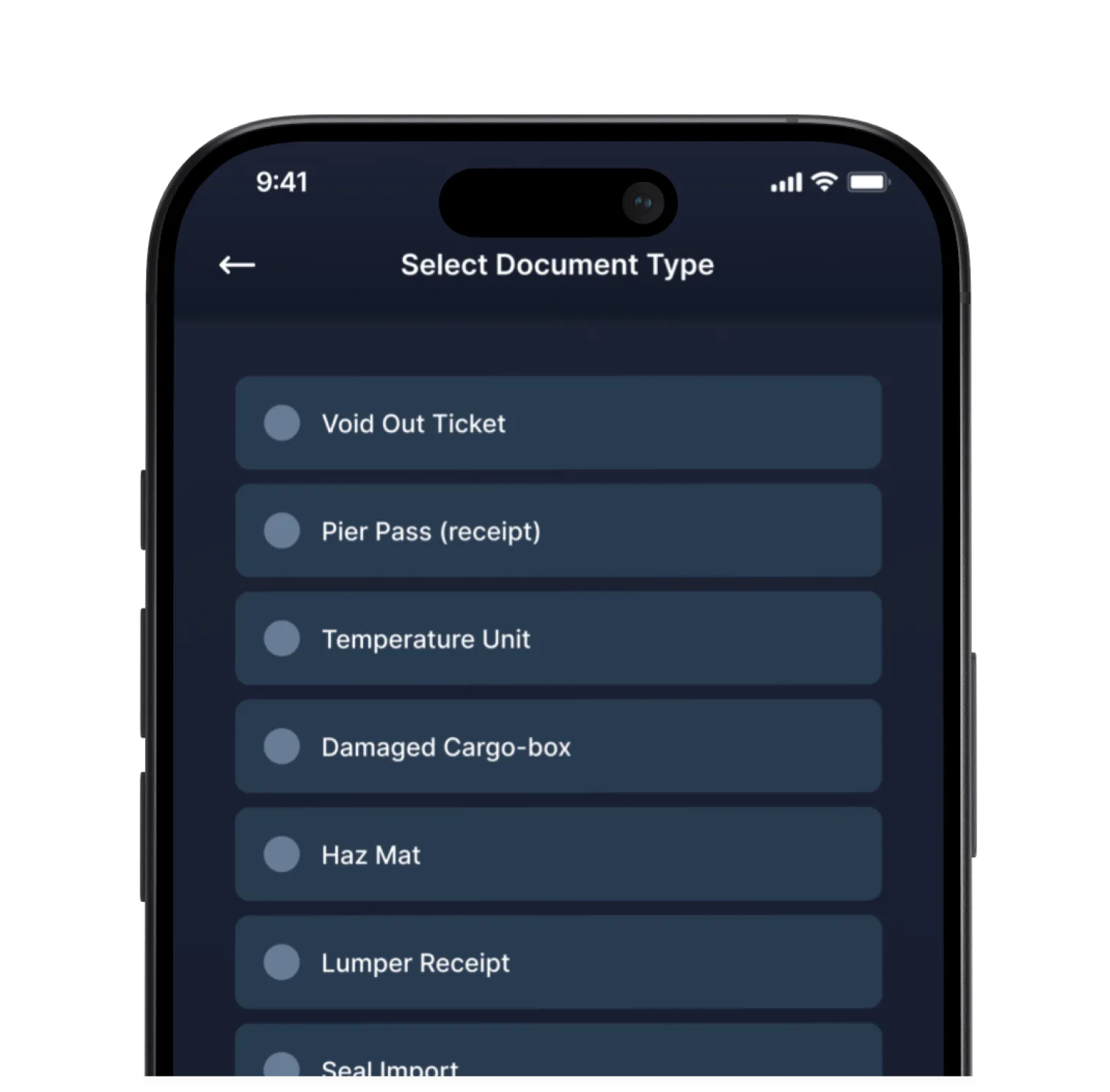
Driver Scans Documents
Driver Scans Documents
The driver chooses from over 20 document types and takes a photo. The app auto-converts it to PDF and sends it to the right load in PortPro.
The driver chooses from over 20 document types and takes a photo. The app auto-converts it to PDF and sends it to the right load in PortPro.
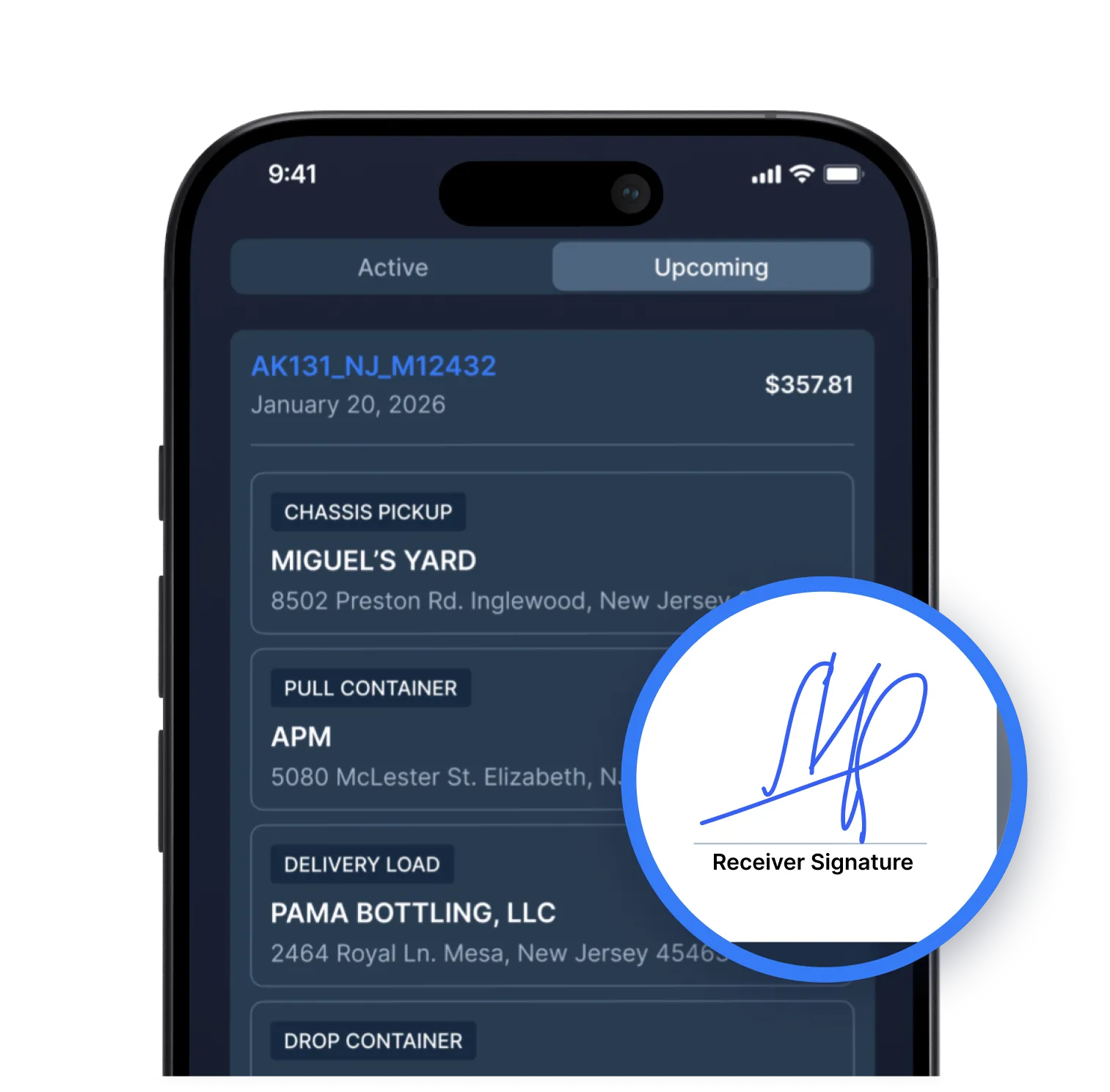
Digitally Sign PODs
Digitally Sign PODs
Drivers can capture signatures directly from their phone. Then the signed POD is auto-uploaded to the system and attached to the right load.
Drivers can capture signatures directly from their phone. Then the signed POD is auto-uploaded to the system and attached to the right load.
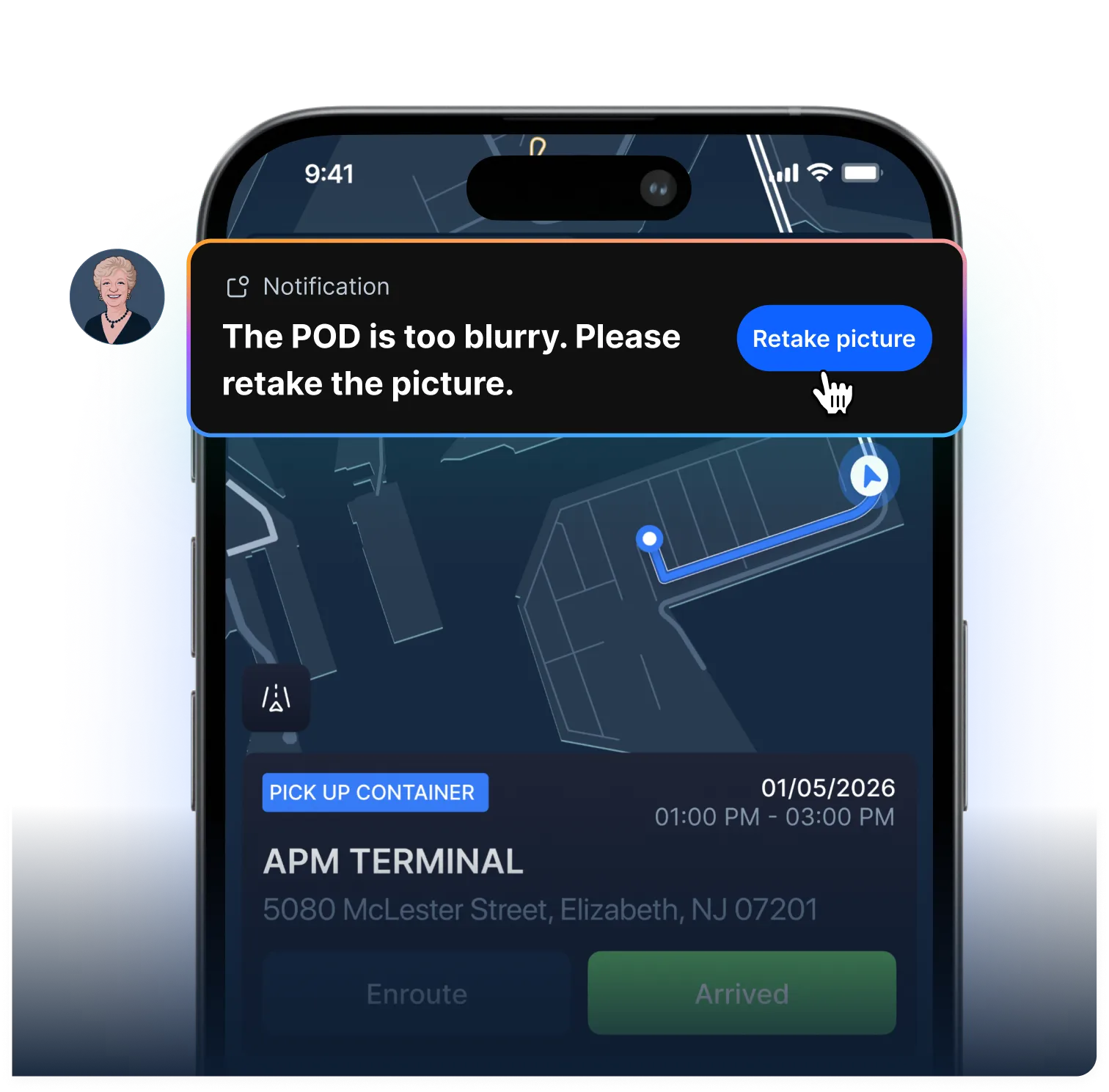
Validate Documents
Validate Documents
Helen, PortPro’s AI biller, validates the POD to make sure it’s accurate and meets requirements. The driver won’t be able to complete the load until requirements are met.
Helen, PortPro’s AI biller, validates the POD to make sure it’s accurate and meets requirements. The driver won’t be able to complete the load until requirements are met.
Last minute changes? No problem.
Last minute changes? No problem.
Last minute changes? No problem.
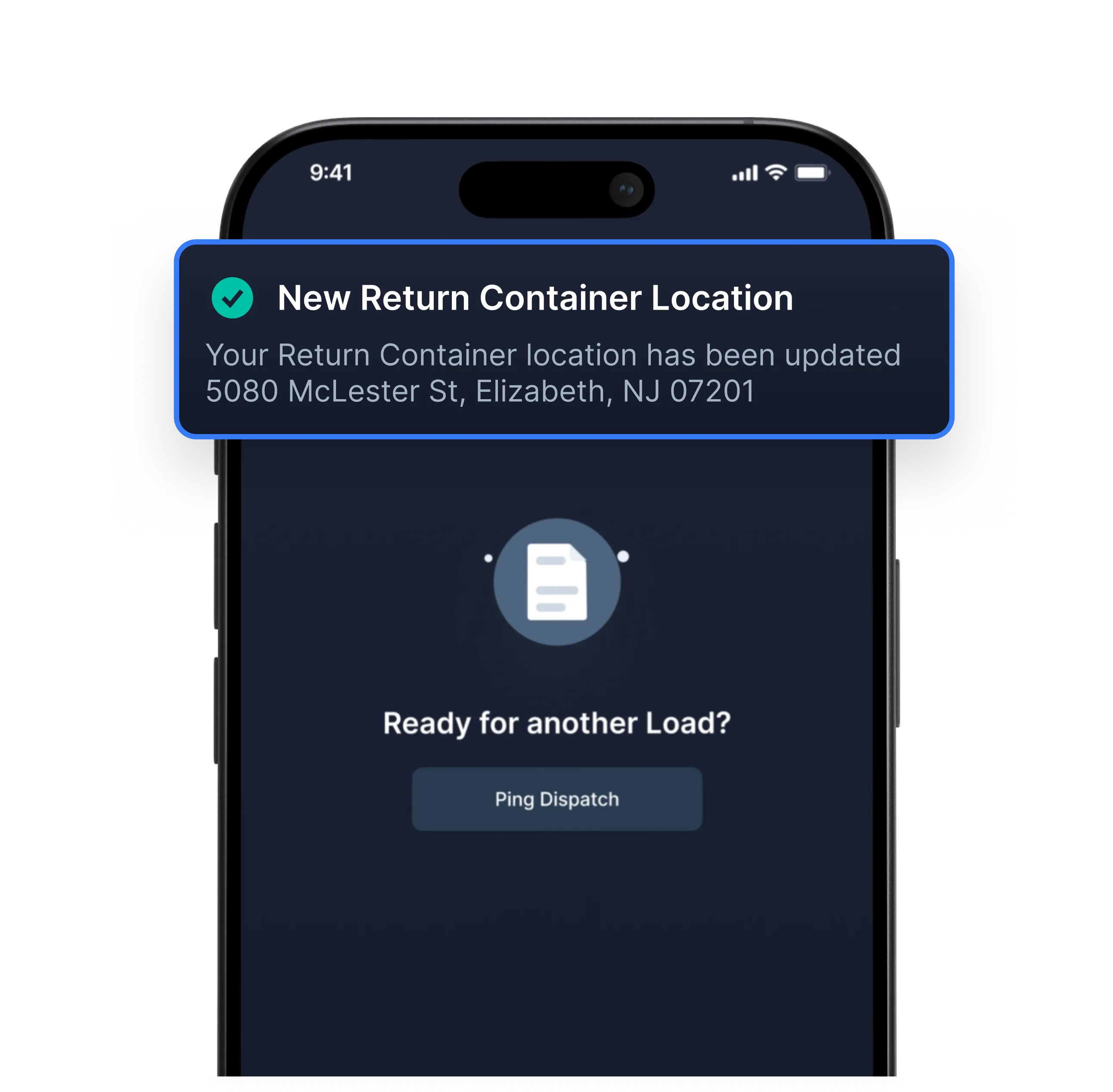
The driver is automatically notified if there are any changes to their schedule. No more scrambling to get in touch with drivers — everything happens in-app.
The driver is automatically notified if there are any changes to their schedule. No more scrambling to get in touch with drivers — everything happens in-app.
Driver can clock in & out
Driver can clock in & out
Driver can clock in & out
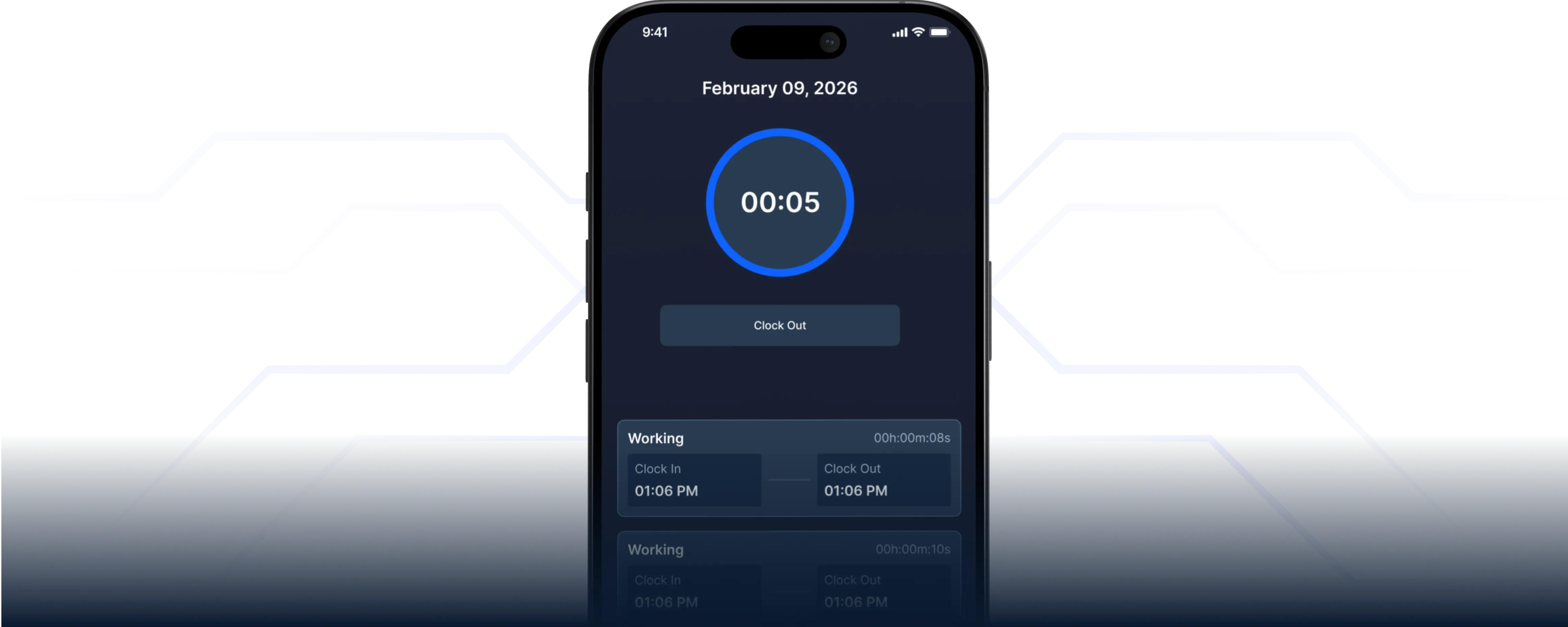
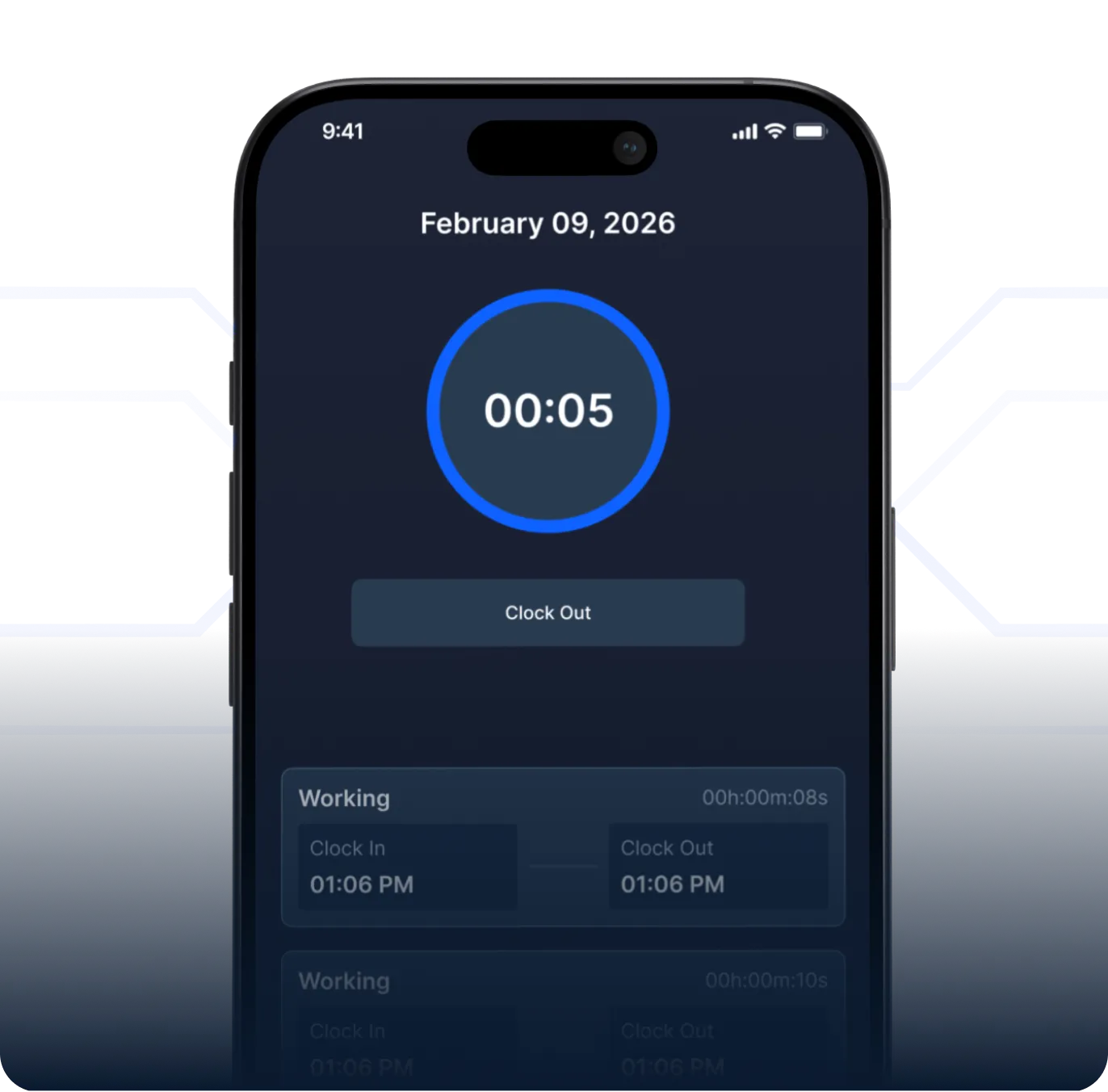
Drivers can utilize the "Clock In" and "Clock Out" feature of our driver mobile app for effortless tracking of work hours. Drivers can simply click on "clock in" at the start of their day and "clock out" at the end of their shift.
Drivers can utilize the "Clock In" and "Clock Out" feature of our driver mobile app for effortless tracking of work hours. Drivers can simply click on "clock in" at the start of their day and "clock out" at the end of their shift.
Geofence Clock-In
Geofence Clock-In
With the geofence feature of our drayage TMS app, ensure that a driver can only clock in from a designated location and enable them to start a move only after "clocking-in".
With the geofence feature of our drayage TMS app, ensure that a driver can only clock in from a designated location and enable them to start a move only after "clocking-in".
Clock-In & Out Report
Clock-In & Out Report
The "Clock In / Clock Out" report provides timestamps in which each driver has clocked in and out, along with the total duration worked.
The "Clock In / Clock Out" report provides timestamps in which each driver has clocked in and out, along with the total duration worked.
Drivers can see all their pay at a glance
Drivers can see all their pay at a glance
Drivers can see all their pay at a glance
Upcoming pay, previous pay — all in one view. No more fielding pay-related questions from drivers.]
Upcoming pay, previous pay — all in one view. No more fielding pay-related questions from drivers.]
Filter Driver Pay
Filter Driver Pay
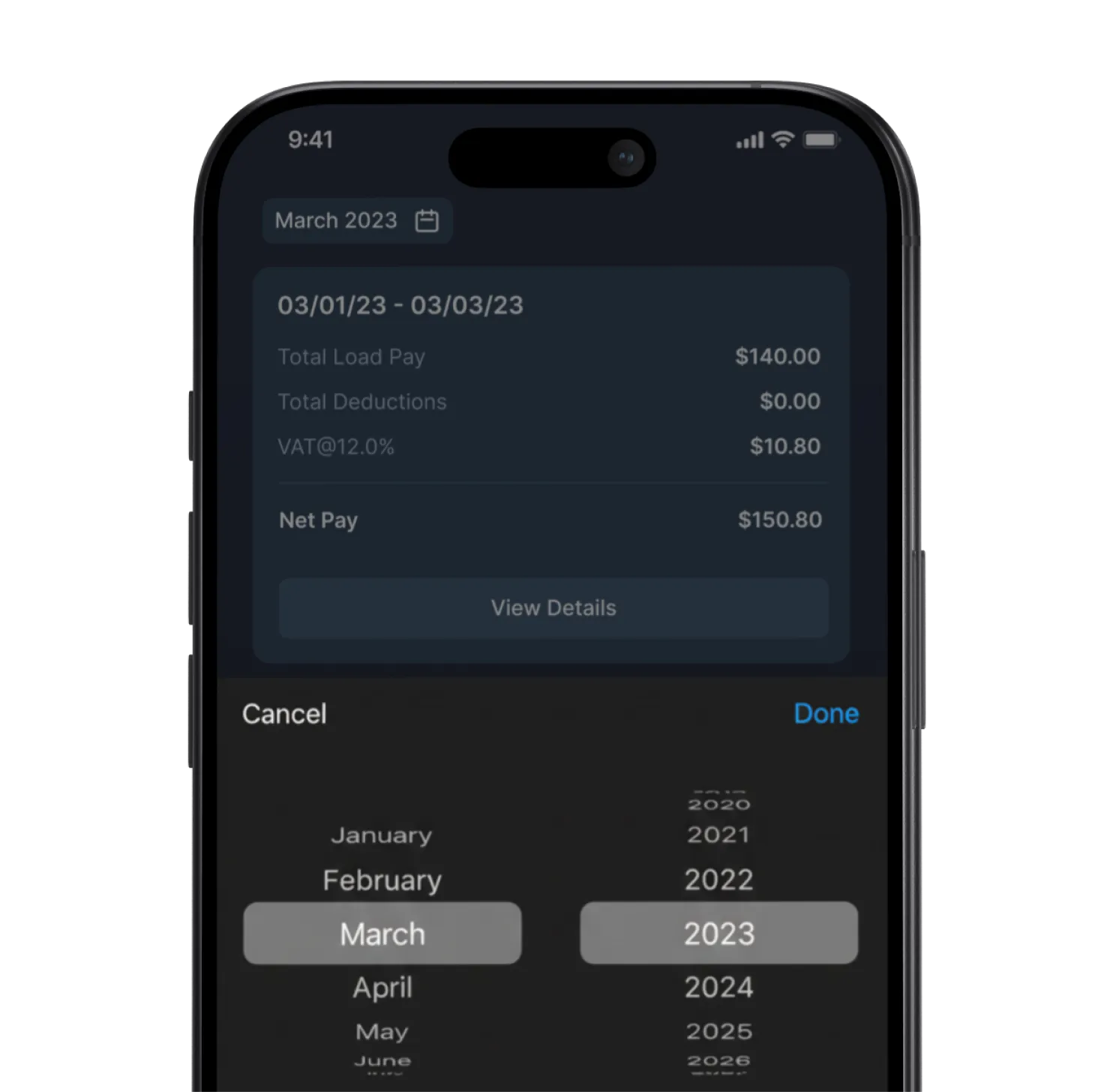
Drivers can filter by pay period to view their historical earnings since they began using the driver mobile app.
Drivers can filter by pay period to view their historical earnings since they began using the driver mobile app.
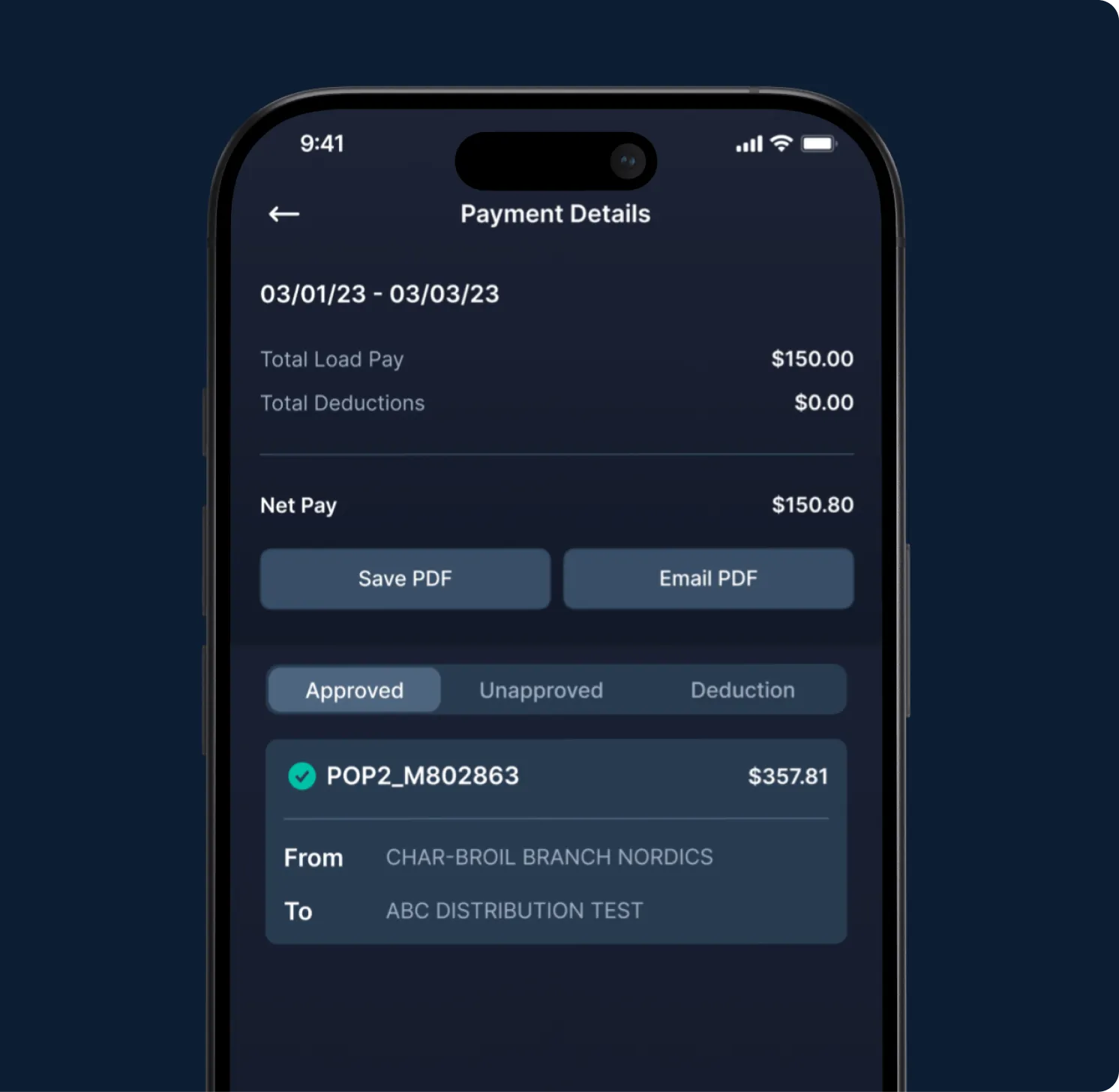
Payment Details
Payment Details
By tapping the "Details" button in the driver mobile app, your driver can access a comprehensive breakdown of their payments and deductions for each move within the specified payment period.
By tapping the "Details" button in the driver mobile app, your driver can access a comprehensive breakdown of their payments and deductions for each move within the specified payment period.
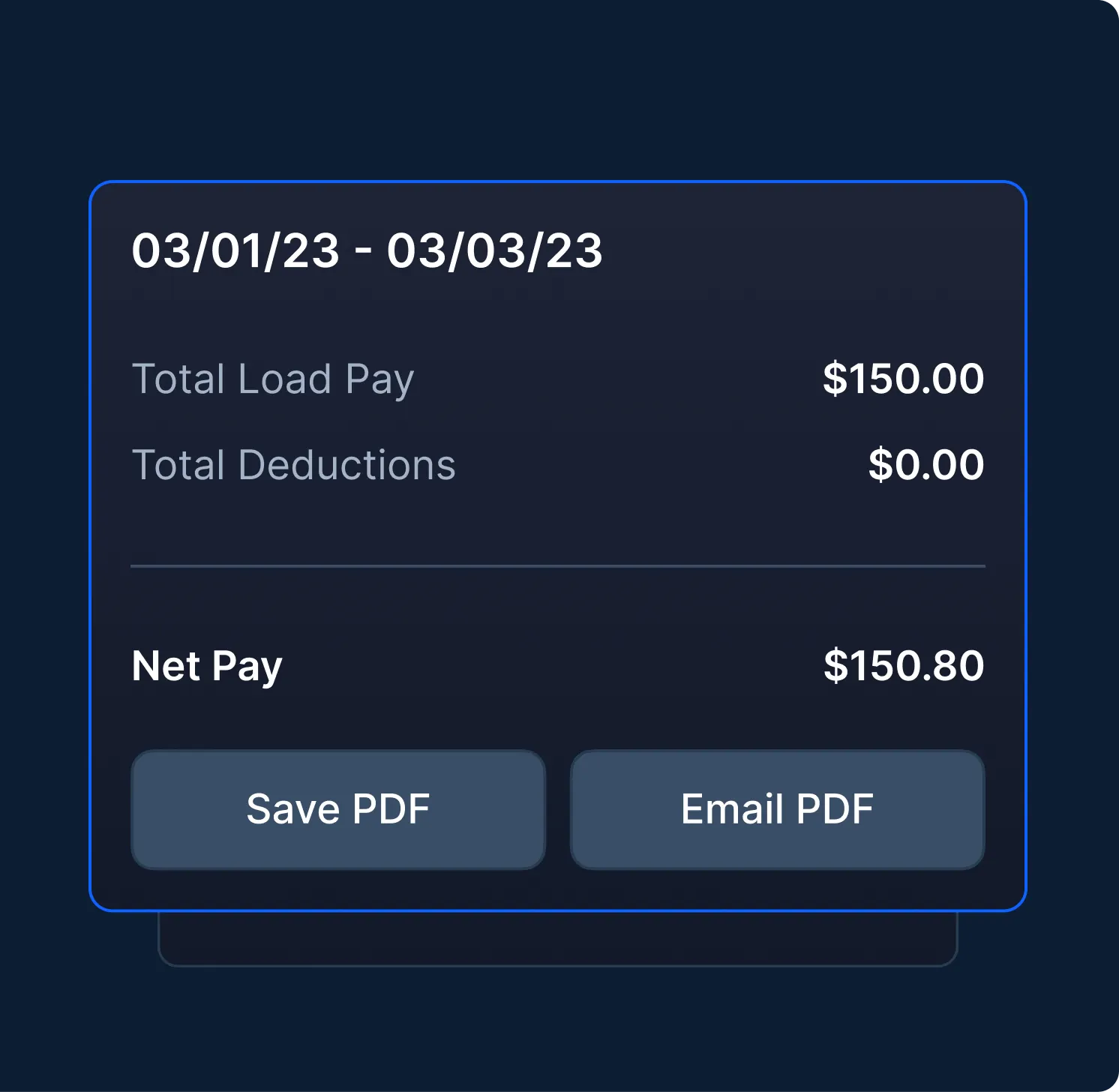
Download & Email Settlement
Download & Email Settlement
Drivers can find a summary of their pay during a specific time period, and can either save as a pdf to their phone or email it out.
Drivers can find a summary of their pay during a specific time period, and can either save as a pdf to their phone or email it out.
Communicate with drivers, right from the app
Communicate with drivers, right from the app
Communicate with drivers, right from the app
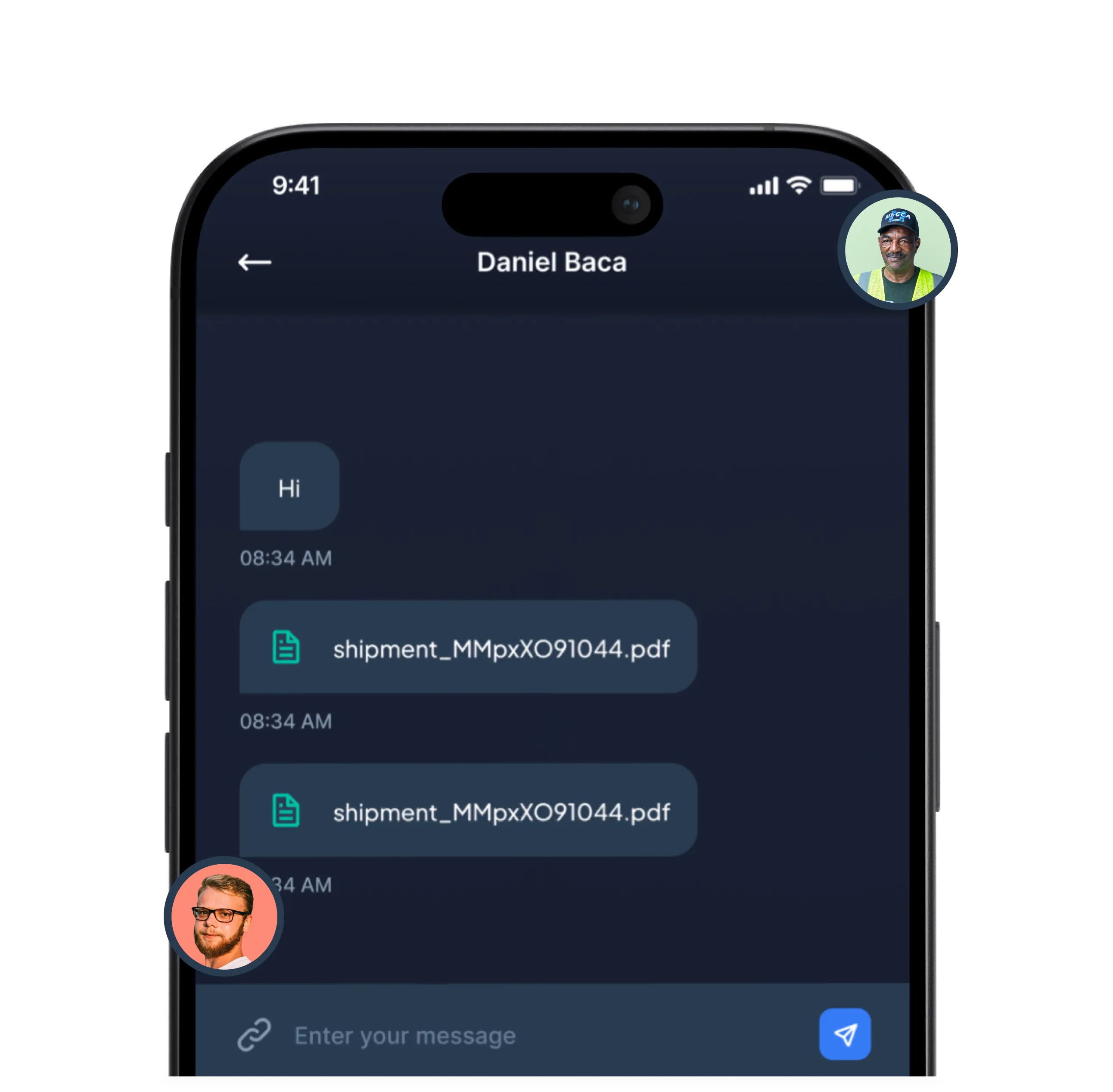
Send messages, attach files, and store the full conversation history on a load-by-load basis. No more searching through old text messages to find that driver text.
Send messages, attach files, and store the full conversation history on a load-by-load basis. No more searching through old text messages to find that driver text.

See PortPro in action
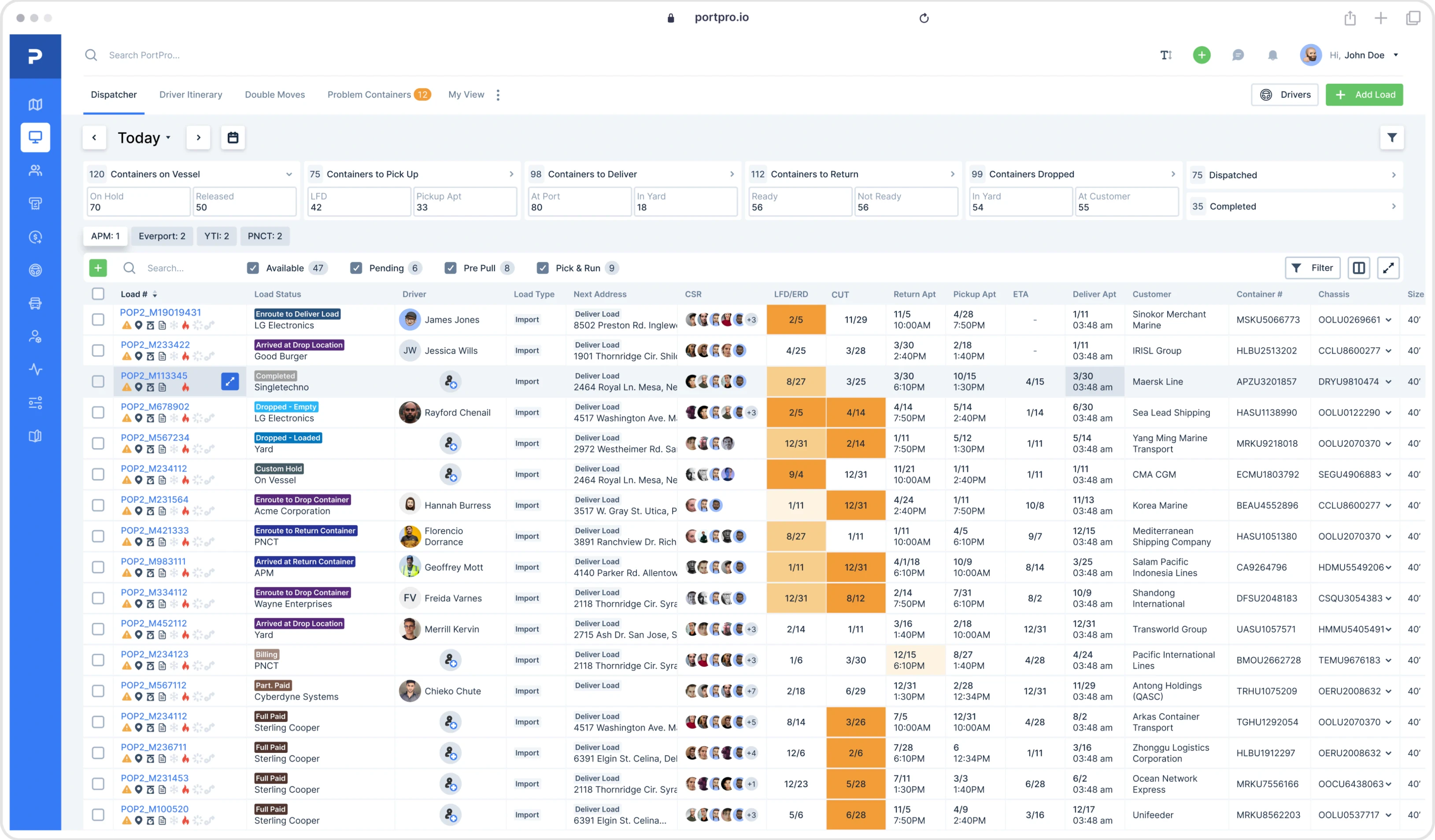
Schedule time with a product expert to see how PortPro could work for your operations.
Schedule a Demo
See PortPro in action
Schedule time with a product expert to see how PortPro could work for your operations.
Schedule a Demo
See PortPro in action
Schedule time with a product expert to see how PortPro could work for your operations.
Schedule a Demo